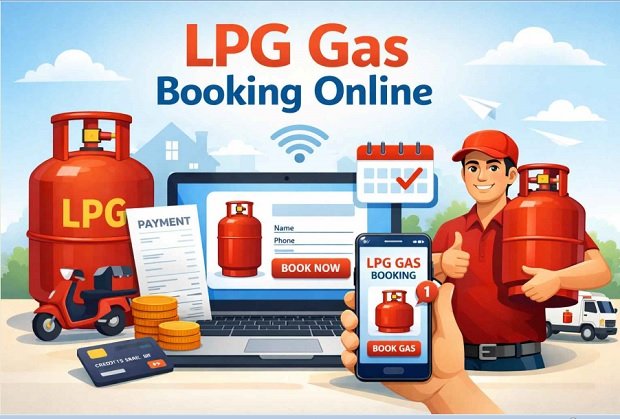
Online LPG gas booking has become very simple. You can book your gas cylinder from home using your mobile phone or computer. In India, major gas companies such as Indian Oil Corporation (Indane Gas), Hindustan Petroleum (HP Gas), and Bharat Petroleum (Bharat Gas) provide online LPG booking facilities for their customers. Below is the complete step-by-step process explained in paragraphs.
How To Online LPG Gas Booking Process
- First, open the official website or mobile app of your LPG gas provider. If your connection is with Indane Gas, visit the website of Indian Oil Corporation. If you use HP Gas, go to the website of Hindustan Petroleum, and for Bharat Gas customers visit the website of Bharat Petroleum. You can also download their official mobile apps from the app store to book your LPG cylinder easily.
- After opening the website or app, you need to log in to your account. If you already have an account, simply enter your User ID and Password to log in. If you are a new user, click on the “Register” or “New User” option and complete the registration process by entering details such as your mobile number, LPG ID, email address, and other required information.
- Once you log in, you may need to link your LPG connection with your account. To do this, enter your 17-digit LPG ID, consumer number, or registered mobile number. After entering the details and verifying them, your LPG connection will be linked to your online account.
- After linking your LPG connection, go to the dashboard and click on the option “Book Cylinder” or “Refill Booking.” Here you will see your connection details, including distributor name, last booking date, and cylinder availability.
- Now click on the “Book Now” or “Confirm Booking” button. Once you confirm the request, your LPG cylinder booking will be successfully registered. You will receive a booking number or reference number for tracking your order.
- Many LPG providers allow you to make online payments while booking the cylinder. You can pay using UPI, debit card, credit card, or net banking. If you prefer, you can also choose the cash-on-delivery option and pay when the cylinder is delivered.
- After completing the booking, you can check the status of your cylinder by clicking on the “Booking Status” or “Track Order” option. You will also receive SMS notifications on your registered mobile number regarding booking confirmation and delivery updates.
- Within a few days of booking, the gas agency delivery person will deliver the LPG cylinder to your home. In some cases, you may need to share an OTP for delivery verification. After confirmation, the cylinder will be successfully delivered to you.
LPG Gas Booking WhatsApp
Many LPG providers now allow cylinder booking through WhatsApp. To use this method, save the official WhatsApp number of your LPG company and send a message like “REFILL” or “BOOK” from your registered mobile number. The system will automatically process your request and send a confirmation message with the booking details.
- HP Gas: 9222201122
- Indane Gas: 7588888824
- Bharat Gas: 1800224344
LPG Gas Booking SMS
SMS booking is another simple method for LPG refill. You just need to send an SMS from your registered mobile number to the LPG provider’s booking number. In the SMS, type the required format such as REFILL or your Consumer Number and send it. After sending the message, you will receive an SMS confirmation with your booking reference number.
- HP Gas: 9222201122
- Indane Gas: 7718955555
- Bharat Gas: 1800224344
LPG Gas Booking Phone Call
Customers can also book LPG gas by making a phone call to the IVRS number provided by their LPG distributor. Dial the LPG booking number from your registered mobile number and follow the automated voice instructions. Once the booking is completed, you will receive a confirmation message on your mobile phone.
- HP Gas: 9222201122
- Indane Gas: 7718955555
- Bharat Gas: 1800224344
LPG Gas Booking Online Link
| Bharatgas | Click Here |
| HP Gas | Click Here |
| Indane Gas | Click Here |
| Home Page | Click Here |
Latest Recent Post
- PM Kisan Beneficiary List 2026 Village Wise, @pmkisan.gov.in
- PM Kisan 22th installment Date 2026 Check Direct Link, @pmkisan.gov.in
- Pm-Kisan Samman Nidhi 2026 New Registration, Login, @www.pmkisan.gov.in
- Pm Kisan eKYC Update Online 2026 Link @pmkisan.gov.in
- PM Kisan Beneficiary Payment Check Status Online @pmkisan.gov.in