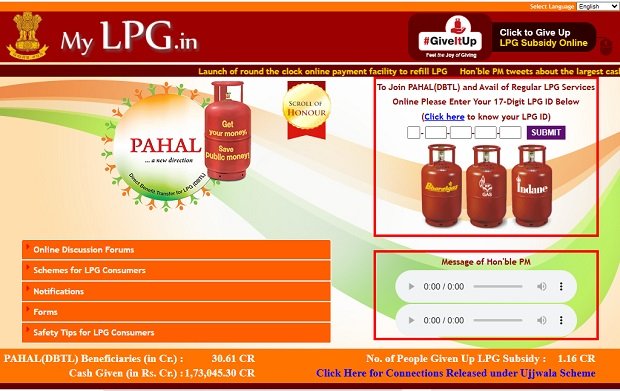
You can easily check your LPG gas subsidy status either online or via a mobile app. The complete step-by-step process is outlined below in separate paragraphs.
How To Check LPG Gas Subsidy Status
- First, open an internet browser on your mobile phone or computer and visit the official website for the PAHAL (DBTL) Scheme, or the website of your specific gas provider. The major LPG companies in India are Indian Oil Corporation, Bharat Petroleum, and Hindustan Petroleum.
- Once the website loads, look for an option labeled “Check PAHAL Status / LPG Subsidy Status” or “Subsidy Related (PAHAL).” Click on this option.
- You will now need to enter one of the following details: your LPG ID, Consumer Number, or Registered Mobile Number. You can typically find this information in your gas booklet or obtain it from your gas agency.
- After entering the required details, click on “Submit” or “Continue.” For security purposes, you may receive an OTP (One Time Password) on your mobile phone; enter this code to complete the verification process.
- Once verified, your LPG Subsidy Status will appear on your screen. This display will provide the following information: The dates on which subsidy amounts were credited to your bank account * The specific subsidy amounts deposited. Which specific gas cylinder delivery the subsidy corresponds to. The dates of the bank transactions
- Alternatively, you can check your subsidy status using a mobile app. To do this, download the “IndianOil ONE,” “Hello BPCL,” or “HP Pay” app. Simply log in to the app, navigate to the “Subsidy / PAHAL Status” section, and view your complete details.
Subsidy Status Check Link
| Indane Gas | Click Here |
| Bharat Gas | Click Here |
| HP Gas | Click Here |
| Home Page | Check Here |
Latest Update Post
- PM Kisan Beneficiary List 2026 Village Wise, @pmkisan.gov.in
- PM Kisan 22th installment Date 2026 Check Direct Link, @pmkisan.gov.in
- Pm-Kisan Samman Nidhi 2026 New Registration, Login, @www.pmkisan.gov.in
- Pm Kisan eKYC Update Online 2026 Link @pmkisan.gov.in
- PM Kisan Beneficiary Payment Check Status Online @pmkisan.gov.in